Top 7 AI Logo Generators for Startups and Website Owners
By Dawn Bowman
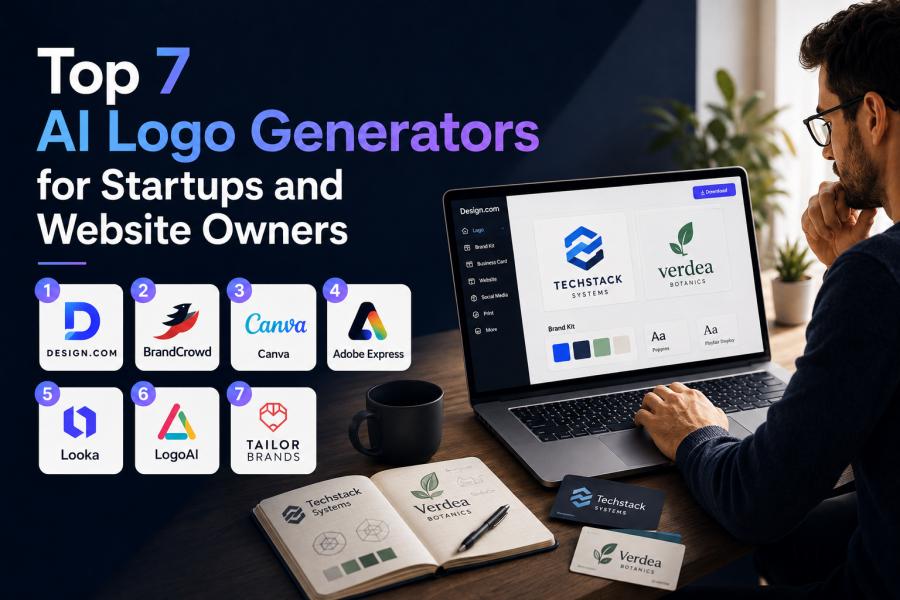
Choosing a logo used to mean hiring a designer, waiting through rounds of revisions, and hoping the final files actually worked across your website, social channels, and business cards.
For startups and website owners trying to move quickly, that process can feel too slow and too expensive. It can also make it harder to build a consistent social media strategy across different platforms and marketing campaigns. So we decided to test seven of the most talked-about AI logo generators side by side: to see which ones could go beyond a flashy preview and actually help a business launch with confidence.
We approached this like a real buyer, not a casual browser. We used the same two sample business scenarios across every tool: a B2B SaaS startup called “Techstack Systems” and an e-commerce brand selling organic skin care called “Verdea Botanics.”
Here's the unfiltered breakdown. No fluff. No vague star ratings. Just what we found, and what it means for you as a founder building a brand from scratch.
How we tested these AI logo generators
Our testing criteria focused on what matters most to startups and website owners:
- Speed to first usable logo
- Relevance and quality of initial concepts
- Ease of editing
- Font and icon quality
- Brand asset support beyond the logo
- Download flexibility and commercial readiness
- Overall value for launch-stage businesses
Here is the quick snapshot before the full results:
|
Rank |
Tool |
Best For |
Quick Verdict |
|
1 |
Design.com |
Founders who want a full launch-ready brand system |
Best overall |
|
2 |
BrandCrowd |
Fast, polished logo creation with strong extras |
Excellent runner-up |
|
3 |
Canva Logo Maker |
Beginners and Canva users |
Easy, familiar, flexible |
|
4 |
Adobe Express Logo Maker |
Users already in Adobe’s ecosystem |
Clean and polished |
|
5 |
Looka |
Stylish startup branding kits |
Good, but more restrictive |
|
6 |
LogoAI |
Fast idea generation |
Useful, but inconsistent |
|
7 |
Tailor Brands |
Guided business setup |
Better for admin than logo quality |
1. Design.com
Design.com’s AI logo maker came out on top because it felt like the only platform that consistently thought beyond the logo itself. In our test, the initial concepts were fast, relevant, and noticeably more launch-ready than the average AI-generated option.
We weren’t just seeing icons pasted next to generic fonts. We were seeing logos that felt built for modern businesses, with enough variety to work for both SaaS and ecommerce.
For our SaaS brand, here’s what Design.com gave us:
For our e-commerce brand, the logos we got were just as exceptional:
These are not even a fraction of the logo designs up for selection. For each type, we got more than 10,000 choices in seconds! The logos are relevant for their industries with colors typically used by other companies in the same niche. If you find a logo you like, you can have complete brand assets in under 45 minutes.
Design.com didn’t trap us in a shallow editor either. It gave us room to fully customize the result. We could then immediately extend that identity into other brand materials (you can easily view this in under “Preview”). We found this to be especially helpful because it gave us a chance to visualize how the logo would work in real-world scenarios.
See how it switched the light and dark shades for our logo sample:
Specific details matter. Design.com’s positioning includes:
- More than 400K logo templates (the world’s largest collection!)
- Over 1 million total design templates
- More than 750 fonts with over 525 exclusive to Design.com
- More than 62K custom vector shapes
It also goes further with AI-assisted editing for both text and icons through a simple chat-style interface, which makes changes feel more natural than hunting through menus. The platform also supports websites, business cards, presentations, posters, flyers, QR codes, digital business cards, and more, with automatic template branding that carries logo colors across assets and mockups.
In a nutshell:
|
Category |
Rating |
Notes |
|
Speed to first strong logo |
10/10 |
Produced more than 10,000 usable options in about 5 seconds (internet speed notwithstanding) |
|
Quality of initial concepts |
10/10 |
Strong variety and startup-ready styles that need little to no editing |
|
Editing experience |
9/10 |
AI-assisted refinement felt flexible and modern, but you hit a paywall after a certain number of tries. Manual editing is unlimited. |
|
Typography and icon quality |
10/10 |
Strong font depth and polished visual assets |
|
Branding tools beyond the logo |
10/10 |
Best ecosystem in the test |
|
Export options and commercial use |
10/10 |
Broadest file flexibility and strong commercial positioning |
|
Value for launch-stage businesses |
10/10 |
Most complete option for real business use |
Bottom line: If you are a startup founder or website owner who wants the smoothest path from idea to full brand system, Design.com is the strongest choice.
2. BrandCrowd
The logo generator from BrandCrowd was the clearest runner-up. It delivered polished results quickly and felt especially strong at producing thousands of viable concepts without much trial and error. In our test, it handled the SaaS brief especially well, offering options that looked professional enough to shortlist almost immediately.
Here’s what it gave us:
It’s also good for a lifestyle brand. Here are samples for our e-commerce skin care brand:
Where BrandCrowd impressed us most was consistency. Some AI logo tools give you one or two strong designs surrounded by filler. BrandCrowd felt more dependable across the whole set, which reduces the time you spend regenerating and second-guessing. It also offers strong editing flexibility and a wider branding ecosystem than many simpler logo-only tools.
Its feature set is substantial:
- 380K+ logo templates (just a hair below from Design.com), more than
- 1 million+ total design templates,
- 700+ fonts
- 60K+ custom vector shapes,
- AI editing for logo text and icons
- Commercially safe positioning
- Supports a broad range of output types including SVG, EPS, PDF, PNG, JPG, GIF, and MP4
- Brand extensions like websites, business cards, social posts, flyers, and more.
The reason it landed just behind Design.com is simple: while BrandCrowd is excellent at fast, polished logo creation, Design.com felt slightly more complete as an end-to-end launch and branding platform.
In a nutshell:
|
Category |
Rating |
Notes |
|
Speed to first strong logo |
9/10 |
Very fast and dependable; most industries will get thousands of choices in seconds |
|
Quality of initial concepts |
9/10 |
Professional and consistent |
|
Editing experience |
8/10 |
Smooth and practical but you get limited edits on its easy-to-use AI editor |
|
Typography and icon quality |
9/10 |
Strong overall polish |
|
Branding tools beyond the logo |
9/10 |
Impressive breadth, though slightly behind Design.com |
|
Export options and commercial use |
9/10 |
Excellent support and comprehensive file formats |
|
Value for launch-stage businesses |
9/10 |
Strong all-rounder |
Bottom line: BrandCrowd is a strong choice for users who want fast results and plenty of professional-looking options, especially if logo quality is the immediate priority.
3. Canva
Canva is the easiest recommendation for anyone already comfortable with the platform’s drag-and-drop and AI interface. In testing, it was approachable, quick to learn, and especially practical for users who need a logo for simple marketing visuals.
Its main strength is familiarity. If you already use Canva for content creation, building a logo there feels natural especially for users who rely on social media marketing to create and manage consistent brand visuals across platforms. But that same accessibility also exposes its limitation: Canva is a broad design platform first, not a deeply specialized logo engine.
The results were fine, but less distinct than the top two. We got a small set of logo templates (only 4) to work with vs the thousands you get from Design.com. It also often felt like we were editing templates into logos rather than getting a purpose-built identity system.
See what we mean here:
As you can see, while the results were relevant for their industries, the styles seem very similar to each other, meaning you would have to do plenty of editing to get something uniquely yours. If you’re a startup founder with no design experience, Canva may not be the one for you.
In a nutshell:
|
Category |
Rating |
Notes |
|
Speed to first strong logo |
8/10 |
Quick and beginner-friendly |
|
Quality of initial concepts |
7/10 |
Good, but less distinctive |
|
Editing experience |
8/10 |
Familiar and flexible |
|
Typography and icon quality |
7/10 |
Solid, though less premium-feeling |
|
Branding tools beyond the logo |
7/10 |
Great if you already use Canva, but not as intuitive |
|
Export options and commercial use |
7/10 |
Good, but not as expansive |
|
Value for launch-stage businesses |
7/10 |
Useful, but less complete |
Bottom line: Great for beginners and solo creators with some design experience, but not the strongest if you want a more distinctive, logo-first experience.
4. Adobe Express
Adobe Express delivered a polished and clean experience. However, there is much to be desired. Instead of generating logo samples from your business name like Design.com, the process begins with you choosing an icon fit for your industry. For instance, this is the icon page for our tech brand:
And these are the icons for our skin care brand:
This is just a fraction of the list of icons generated. As a logo maker, it’s quite puzzling to us to start from this step. The next step involves finding a template to start from. This is our choice for tech:
And this was our choice for our skin care brand:
It was rather disappointing to only get one choice at a time versus the other tools at the top of this list.
That said, it felt more like a design assistant inside a broader creative suite than a standout AI logo specialist. The process was smooth, but slightly less direct than the leaders in this list. It is capable, but it did not surprise us with depth or startup-focused utility.
In a nutshell:
|
Category |
Rating |
Notes |
|
Speed to first strong logo |
6/10 |
Reasonably quick. However, there are too many steps to get a logo you can work with |
|
Quality of initial concepts |
6/10 |
Clean and polished, but nothing fancy |
|
Editing experience |
7/10 |
Good interface, especially for Adobe users |
|
Typography and icon quality |
6/10 |
Strong design polish |
|
Branding tools beyond the logo |
6/10 |
Decent, but less startup-oriented |
|
Export options and commercial use |
7/10 |
Solid support |
|
Value for launch-stage businesses |
6/10 |
Good, but not the best value here |
Bottom line: A good option for Adobe users, especially those who value polish, but not the fastest route to a full startup-ready brand kit.
5. Looka
Looka produced some of the sleekest startup-style concepts in the test. When it got things right, the logos looked modern, clean, and presentation-ready. For founders who want that investor-deck aesthetic, Looka can be appealing.
The tradeoff was flexibility. The system is better at steering you toward a finished kit than at letting you deeply reshape the design. That makes it feel efficient at first, but a little limiting once you want to fine-tune details.
Additionally, it’s not a straightforward path from prompt to logo templates. Unlike Design.com, where you only need a business name to get started, Looka’s interface is more similar to Adobe. The platform goes through a series of questions that include picking your industry and the colors you like before asking for your business name and an optional slogan.
Here’s a sample of the results we got:
For each industry, Looka generated a little over 20 logos. While there were a couple of strong candidates for both types, we also got a few that were irrelevant for our industry, particularly for our skin care brand.
In a nutshell:
|
Category |
Rating |
Notes |
|
Speed to first strong logo |
7/10 |
Fairly quick, even with all the extra steps |
|
Quality of initial concepts |
7/10 |
Stylish and modern |
|
Editing experience |
6/10 |
More restrictive than the leaders; not as beginner-friendly |
|
Typography and icon quality |
7/10 |
Attractive aesthetic |
|
Branding tools beyond the logo |
7/10 |
Helpful brand kit direction |
|
Export options and commercial use |
7/10 |
Acceptable, but not standout |
|
Value for launch-stage businesses |
6/10 |
Good for visuals, less flexible overall |
Bottom line: Strong for modern startup branding, but can be frustrating for a startup founder with zero design experience.
6. LogoAI
LogoAI was fast, and speed counts. We were able to generate logo ideas in very little time, which makes it useful for brainstorming. But it was also one of the more uneven tools in the test. Some concepts felt sharp and relevant. Others looked generic or overly mechanical.
That inconsistency matters when you are building a real brand. Founders usually do not want ten okay ideas. They want two or three strong directions they can actually use. LogoAI helped with ideation, but it did not feel as dependable when we needed something polished enough to launch.
We were also a little disappointed to find watermarks even with the logo previews. May not be a big deal for some, but it can be distracting and takes away from envisioning the logo in practice.
While it gave us a couple of good tech logos, it completely missed the mark on our skin care brand.
In a nutshell:
|
Category |
Rating |
Notes |
|
Speed to first strong logo |
8/10 |
Fast concept generation |
|
Quality of initial concepts |
5/10 |
Uneven results; didn’t have the premium feel other tools on this list provided |
|
Editing experience |
5/10 |
Functional, but less refined |
|
Typography and icon quality |
6/10 |
Mixed polish, though the platform has a good font selection |
|
Branding tools beyond the logo |
5/10 |
Limited compared with leaders |
|
Export options and commercial use |
6/10 |
Adequate |
|
Value for launch-stage businesses |
5/10 |
Better for ideation than launch |
Bottom line: Handy for rapid concept generation, but not our top pick for a final brand identity.
7. Tailor Brands
Tailor Brands felt more like a guided business setup service than a pure logo generator. That is not necessarily a weakness, but it changes the value proposition. In testing, the workflow was clear and beginner-friendly, yet the logo output itself felt less compelling than the tools ranked above it.
See below:
If your priority is getting help with the broader mechanics of starting a business, Tailor Brands may still appeal. But if your main goal is creating the best-looking logo possible, Design.com is the better choice.
In a nutshell:
|
Category |
Rating |
Notes |
|
Speed to first strong logo |
4/10 |
Guided, but can feel tedious for some |
|
Quality of initial concepts |
4/10 |
Serviceable, but less memorable |
|
Editing experience |
5/10 |
Limited flexibility |
|
Typography and icon quality |
5/10 |
Acceptable, not standout |
|
Branding tools beyond the logo |
6/10 |
Better on business services than branding depth |
|
Export options and commercial use |
6/10 |
Fine, but not exceptional |
|
Value for launch-stage businesses |
5/10 |
Better for admin support than logo design |
Bottom line: Useful for broader business setup, but weaker as a logo-first platform.
The standout moments: Design.com and BrandCrowd
The top two did not just win because they had long feature lists. They won because the experience felt more practical from start to finish.
With Design.com, the breakthrough moment was seeing how easily a logo could become a broader brand system. That matters when a founder needs a website, social posts, business cards, and printable assets without having to rebuild everything from scratch.
The platform’s large template library, extensive formats, AI editing, and connected tools made it feel purpose-built for getting a business into market.
BrandCrowd’s standout moment was consistency. It repeatedly gave us polished options with less effort than many competitors. For users who want a professional logo quickly, that reliability goes a long way.
Surprising findings from the test
The most surprising thing was how big the gap is between a logo generator and a real branding platform. Many tools can generate something attractive. Far fewer help you turn that visual into a usable business identity.
We were also surprised by how much editing depth changed the outcome. The best tools were not always the ones with the fanciest first screen. They were the ones who made revision feel easy. When a founder can quickly tweak icon style, font personality, and color direction, the final result gets much better.
And finally, the supporting assets mattered more than we expected, especially in the context of startup marketing budgets. For website owners, especially, a logo is just the start. The ability to match that look across a landing page, social post, business card, or flyer saves time and reduces brand inconsistency. Consistent branding also plays an important role in improving trust and supporting long-term lead generation efforts.
Final verdict
After testing all seven, Design.com is the best choice for startups and website owners. It delivered the strongest balance of speed, quality, editability, and real-world branding support. BrandCrowd earned second place by offering fast, polished results and a strong overall experience, but Design.com felt more complete when we looked at everything a growing business actually needs.
Not only did it impress us with its high-quality design and ease of use, but it also has a high Trustpilot rating from over 3,000 reviews. Design.com is also consistently cited as a top logo maker in several lists from Ranktracker and DesignCrowd. This is a testament to how well startup founders think of the platform.
If you only need a quick concept, several tools here can help. But if you want a logo that can grow into a real brand across your launch assets, Design.com stands out as the most practical and effective option.
Back to Small Business blogs